This guide provides quick instructions for using the GPS Enterprise, covering the essential aspects for activation, configuration of teams and how to make cooperative surveys.
Purchase, Activate and Dashboard
Purchase and Activate: the enterprise service can be pre-ordered at Bluecover’s web site or subscribed directly at the product’s platform:
- At Bluecover’s site, you can make pre-orders of new subscriptions, and receive assistance to setup and use the product.
- At the product platform, there are options for requesting trials and making self-provisioning of licenses.
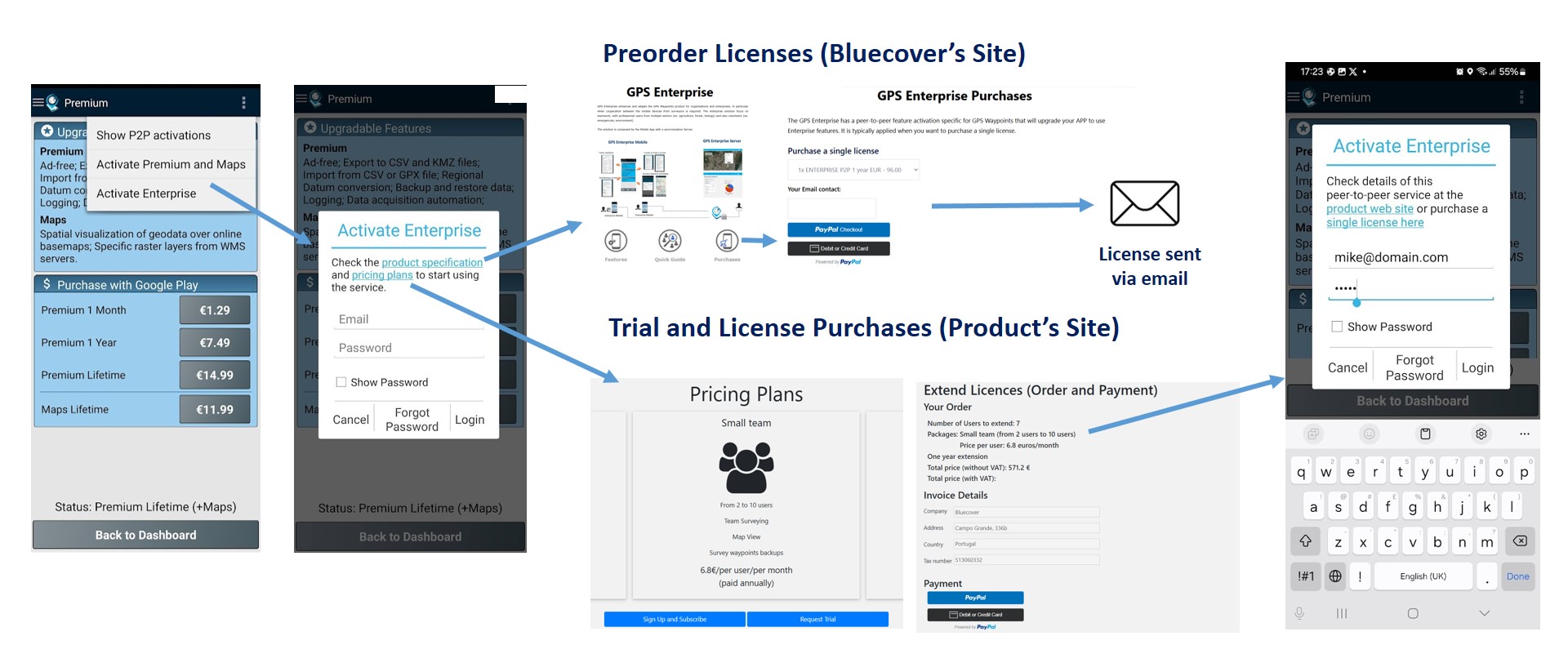
After activation, you will have access to the enterprise features of GPS Waypoints App as leader of a new team.
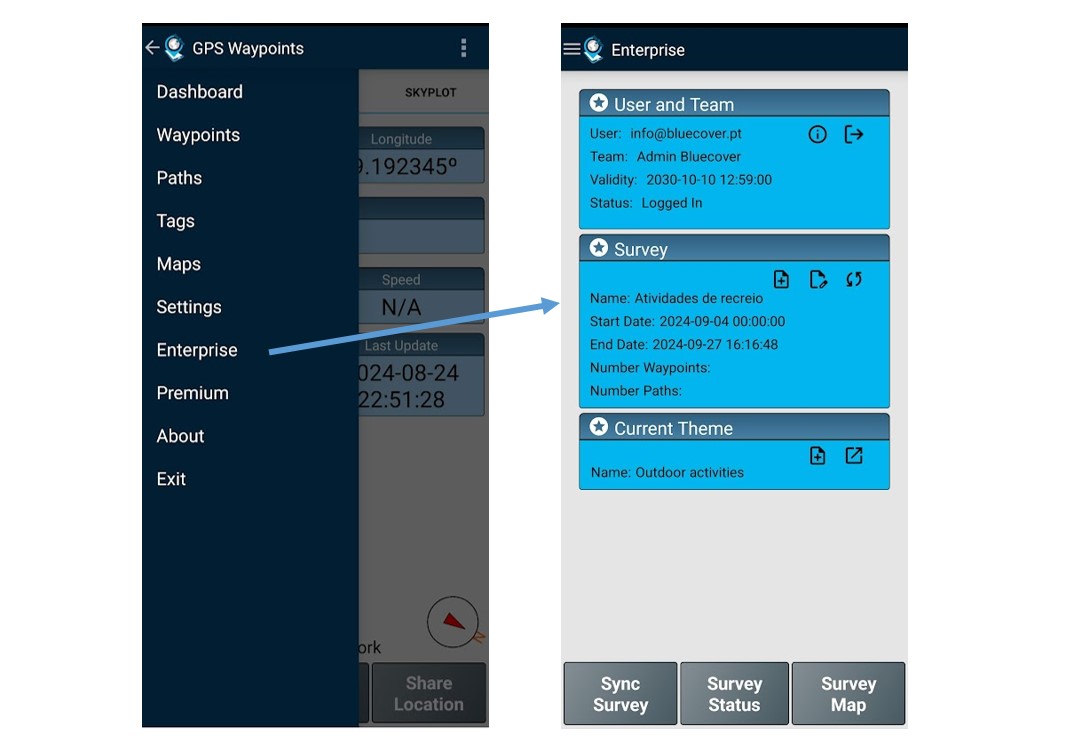
Dashboard: The Enterprise dashboard is a new option available on the App menu. It describes your user profile with the associated team, ongoing surveys and themes.
Configure your team and project
Build team: After activate and login the first time, and if you are the Leader of a new team, you will probably need to build this team by making invitations to other users. The invitations for joining your team can be made to new users or existing users of GPS Enterprise..
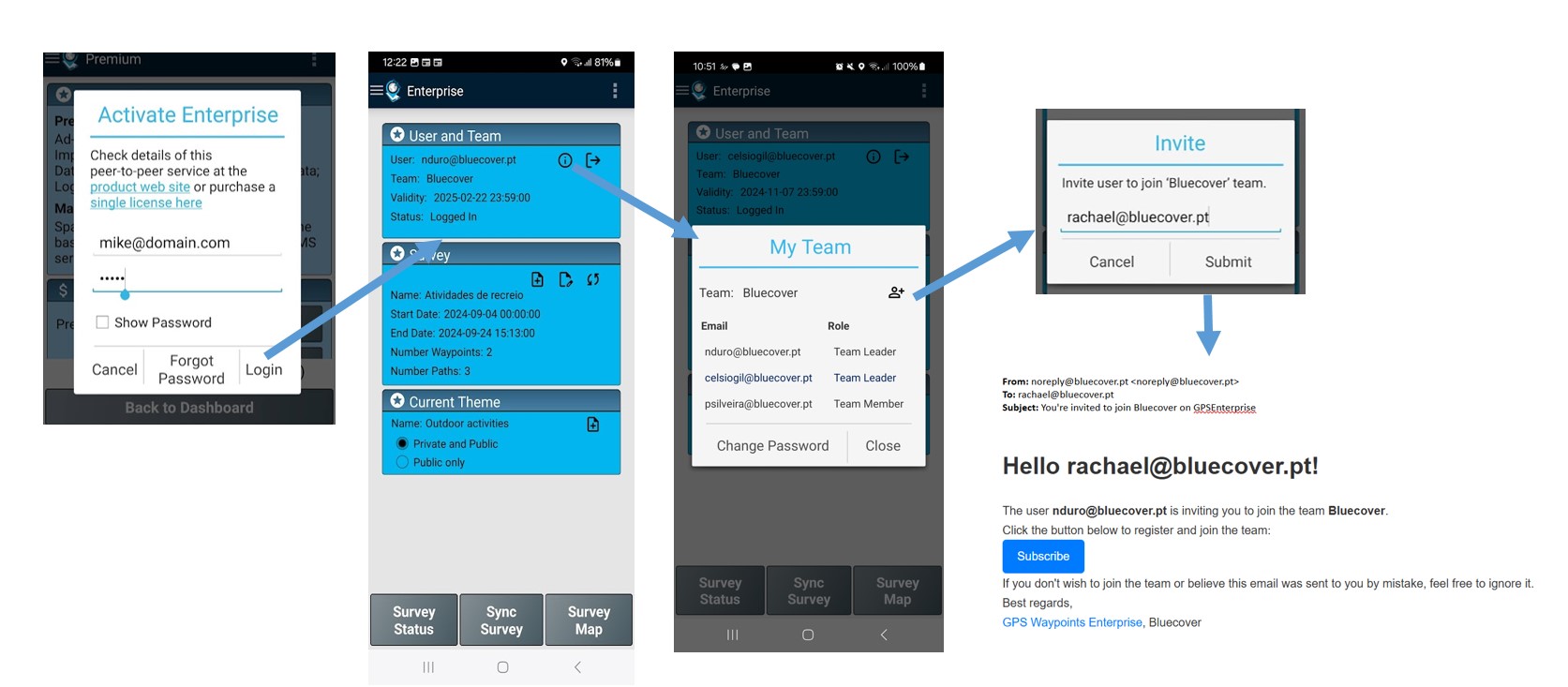
Setup a Survey project (Create and Edit a Survey): the Survey project is typically created by the Team Leader (although any member can do it). A new Survey is created at enterprise dashboard, by defining the name, timeframe and the recommended theme that will be used. You can edit it anytime, for instance to extend the timeframe or defined another recommended theme.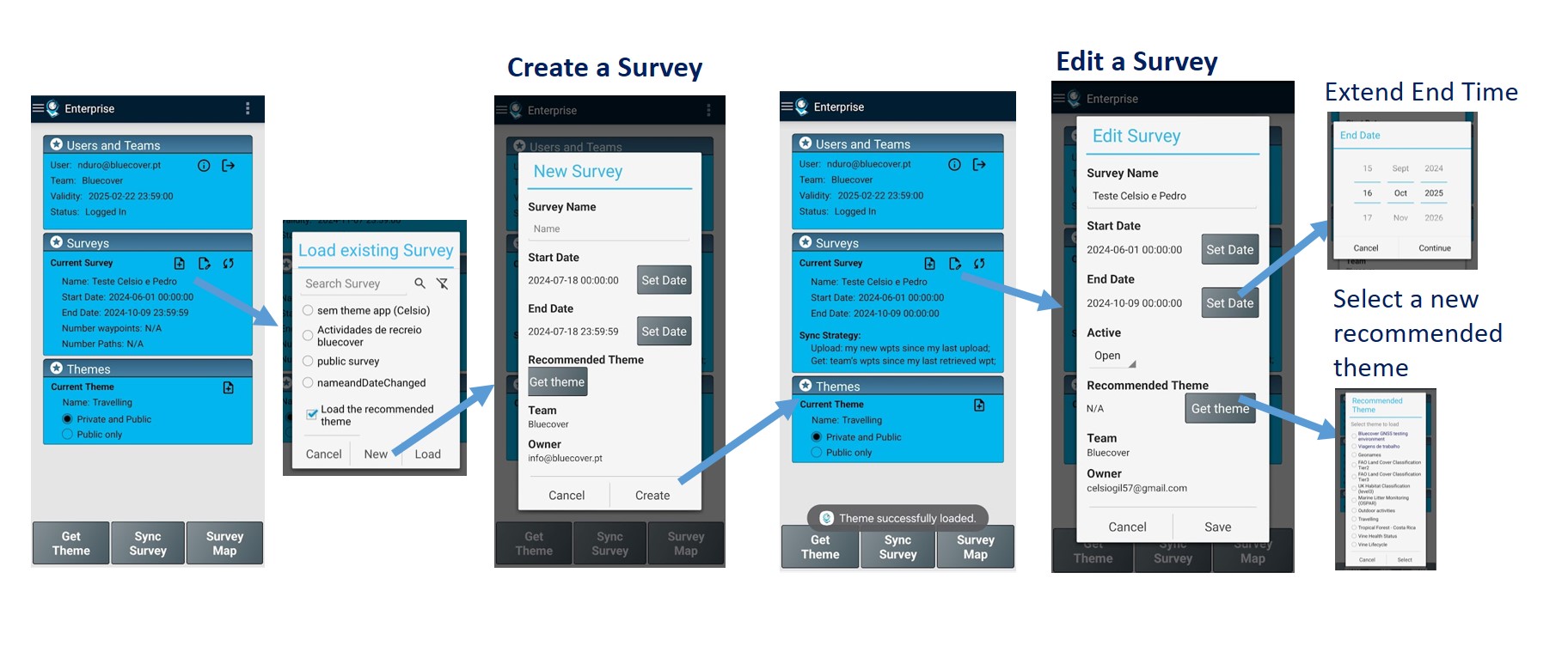
Surveying (by Team members)
User and team: before surveying you can check on the user profile the validity of your licence and your current team members.
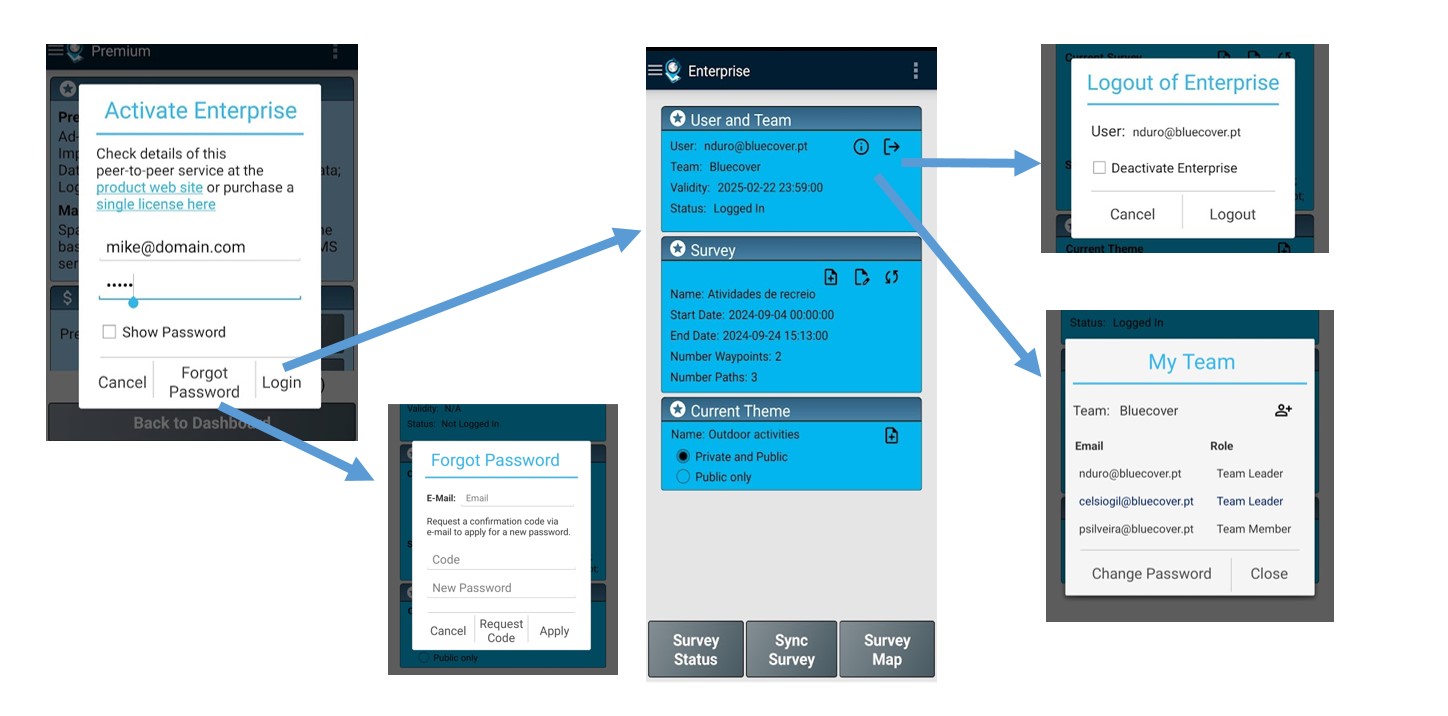
There is also mechanisms to logout and recover password.
Load a Survey with a Theme: The team members need to load a Survey together with the recommended theme on the Enterprise dashboard. They can check the tags of the theme that will used and then start surveying the dashboard.
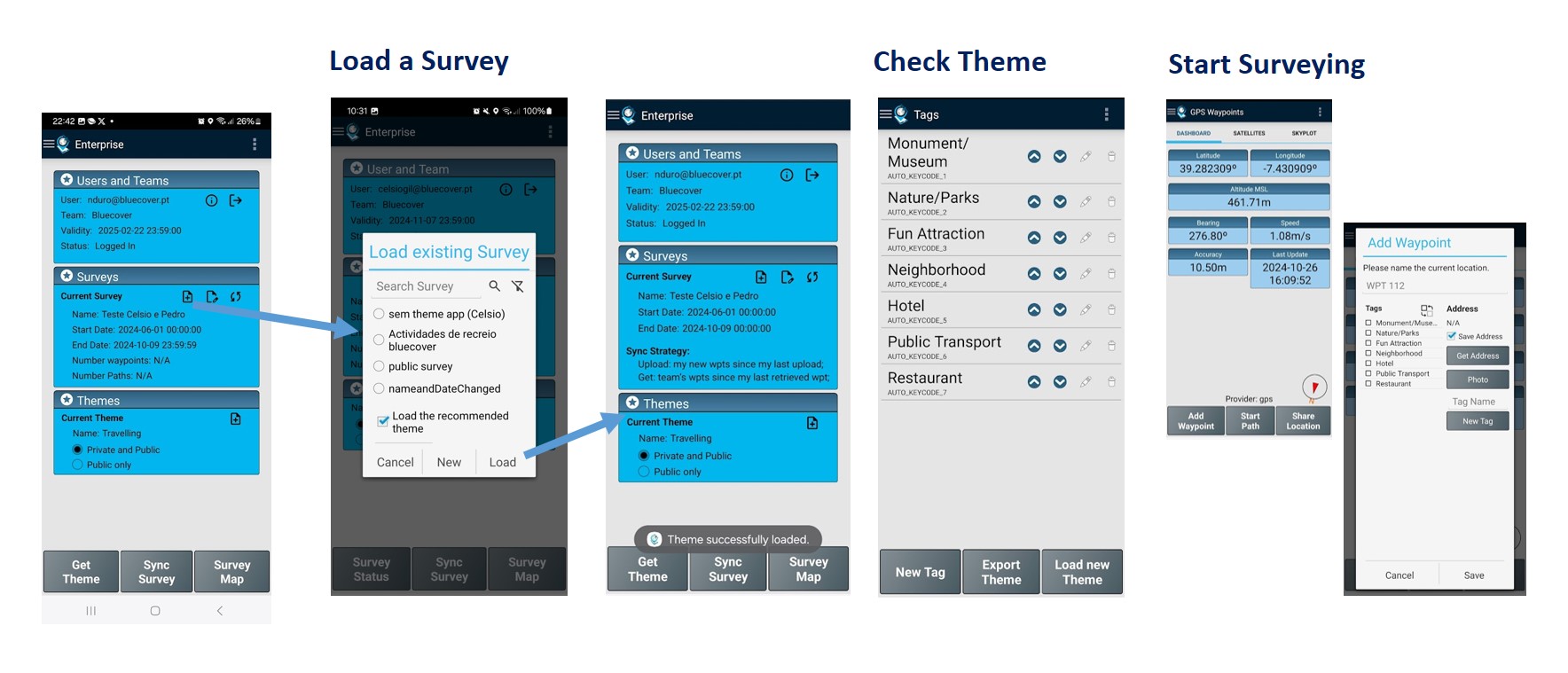
Acquisition of Geodata: each member conduct the land survey by collecting Points and Paths.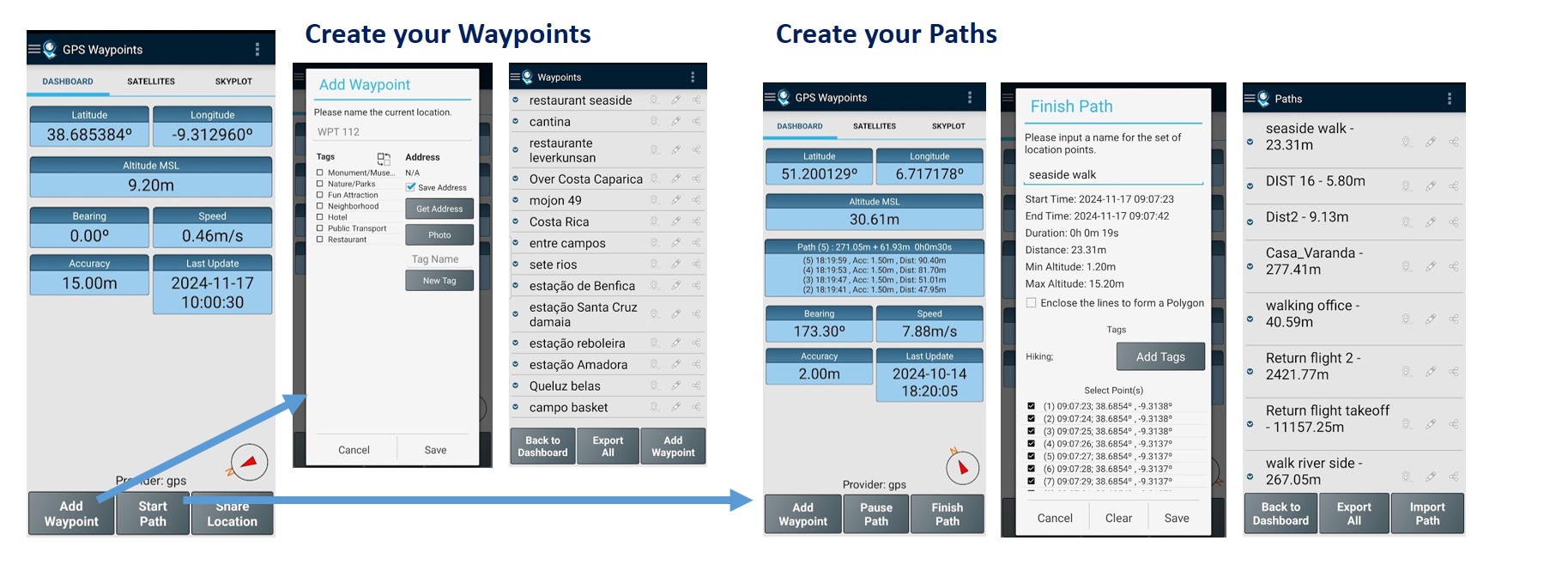
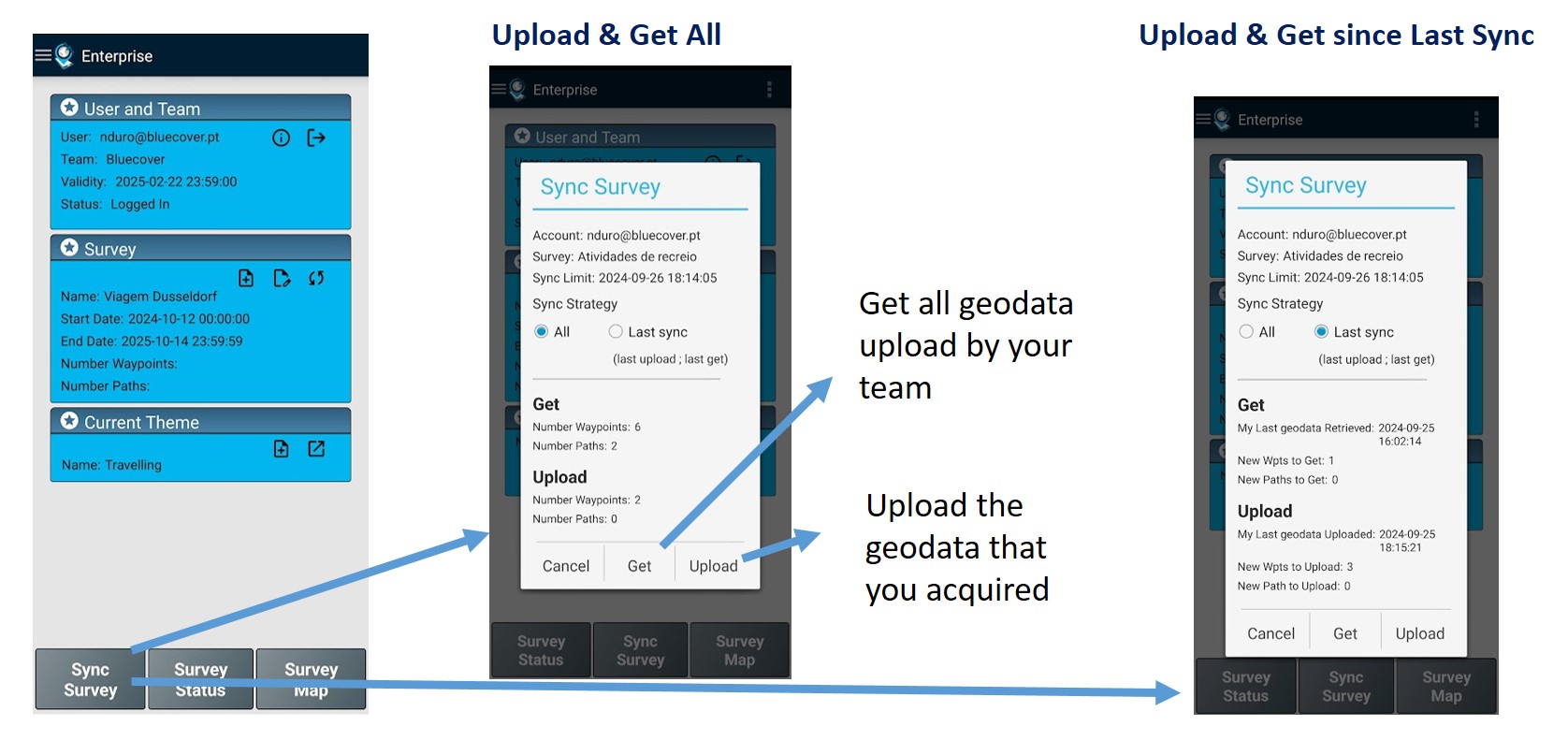
Geodata synchronization: the survey data synchronization is an essential aspect of cooperation between members. Your data can be uploaded to the server and you can get the data uploaded by your team.
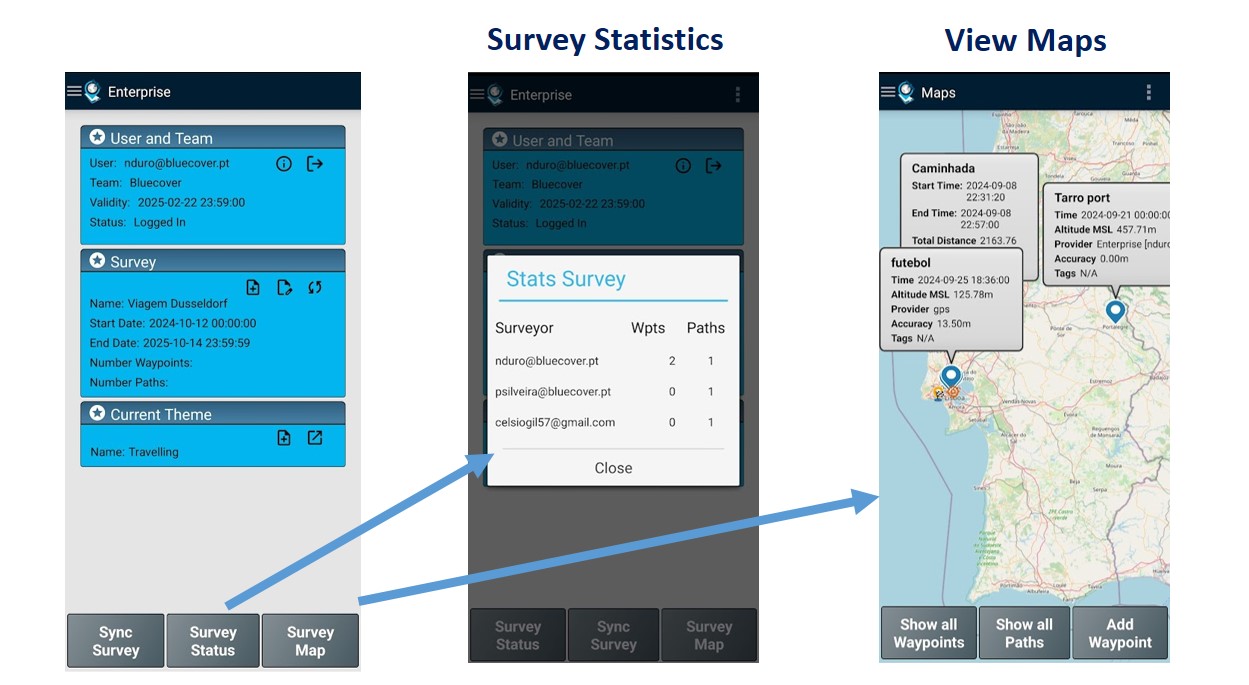
Check Stats and Map: you can monitor the users’ upload on the statistics or on map.
Monitor and managing geodata
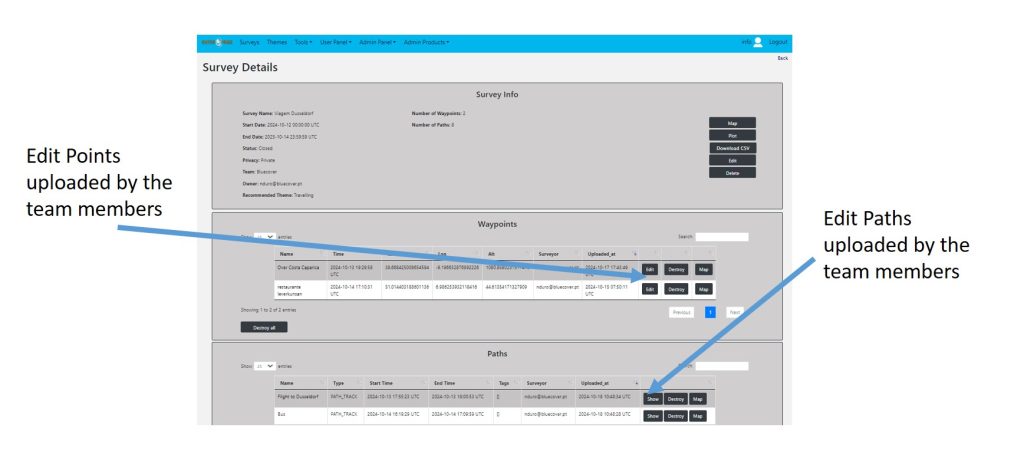
Data Management: the team leader can edit or adjust the data uploaded at the gps enterprise backoffice.