Location and satellites status
This is the part 2 of the user guide, that is composed of 4 parts, aiming to describe the installation, configuration, surveying and mapping functionalities of the product.
Part 2 Location and satellites status
- Current location
- Current location and satellites available
- Share My Location
- GNSS Service
- Check the GNSS signal status, interferences and statistics
- External Receiver
[ Index ] [ Part 1: Configuration ] [ Part 2 Location and Status ] [ Part 3 Waypoints and Paths ] [ Part 4 Maps ]
Current Location
Current location and satellites available: the application identifies the location provider network (cell tower and Wi-Fi) or gps (satellite), the satellites acquisition status and the information of the current position.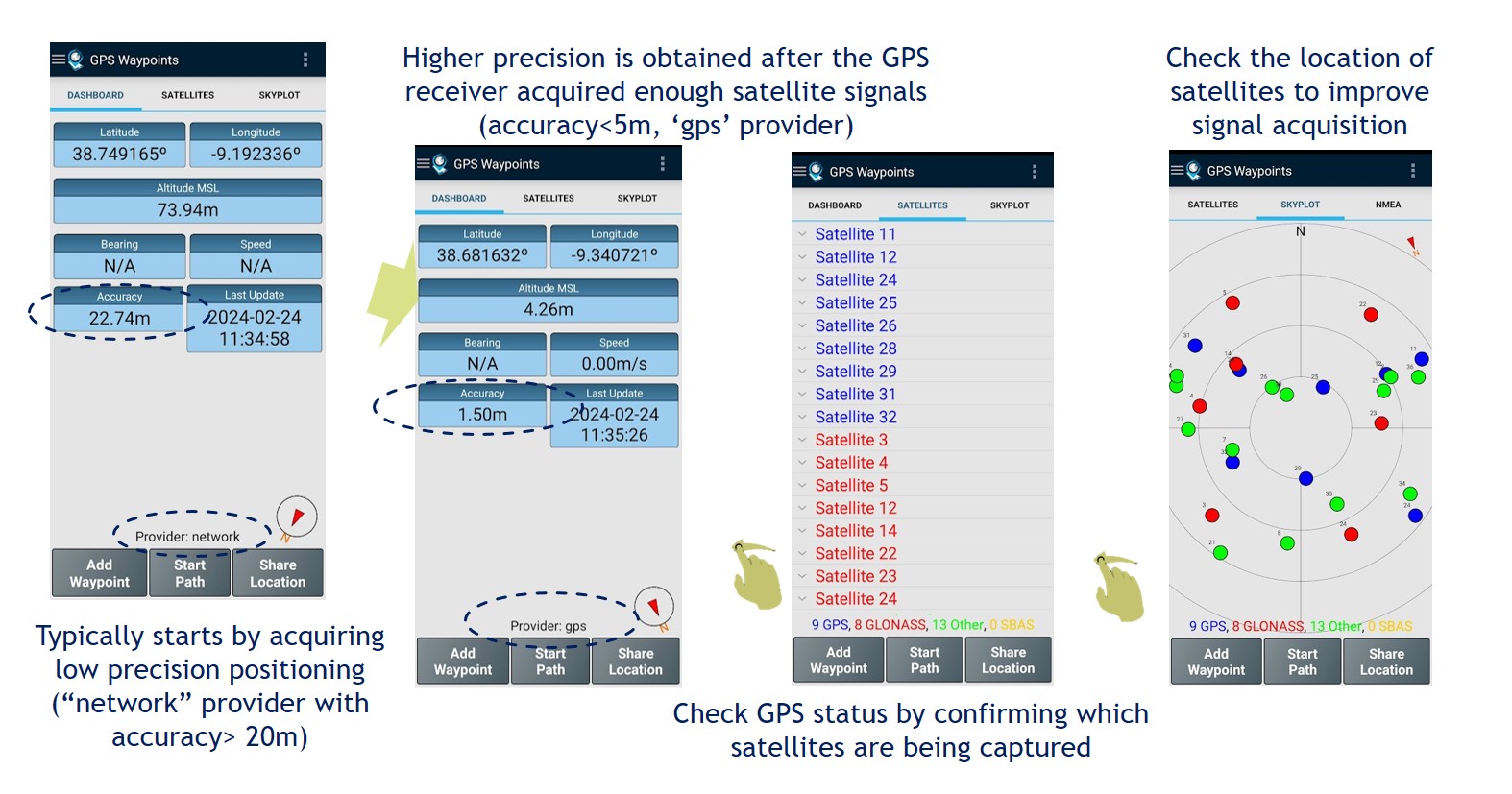 The dashboard shows the information of the current position in wgs84 format. The information is calculated from the visible satellites and includes the coordinates, altitude, bearing, speed, accuracy and time of acquisition:
- the Altitude is estimated from ellipsoid altitude representing the current height in meters above Mean Sea Level (MSL) (see example in figure);
- the Bearing represents the GNSS horizontal direction of the mobile device travel;
- the Compass magnetic heading represents the mobile device orientation.
Share My Location: share your current location with another person through a messaging application (e.g. SMS, email, whatapp, etc…). It could be useful in situations such as meet me on this location or find/help me since I am lost.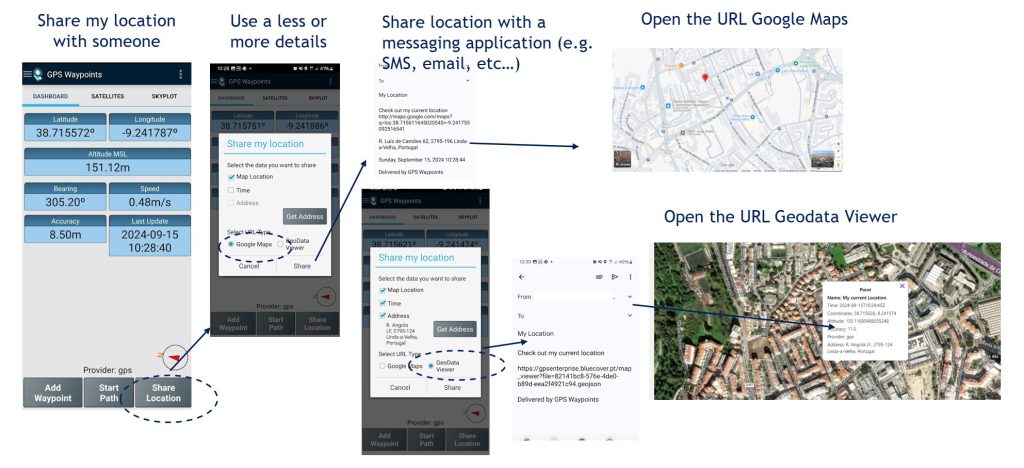
GNSS Service
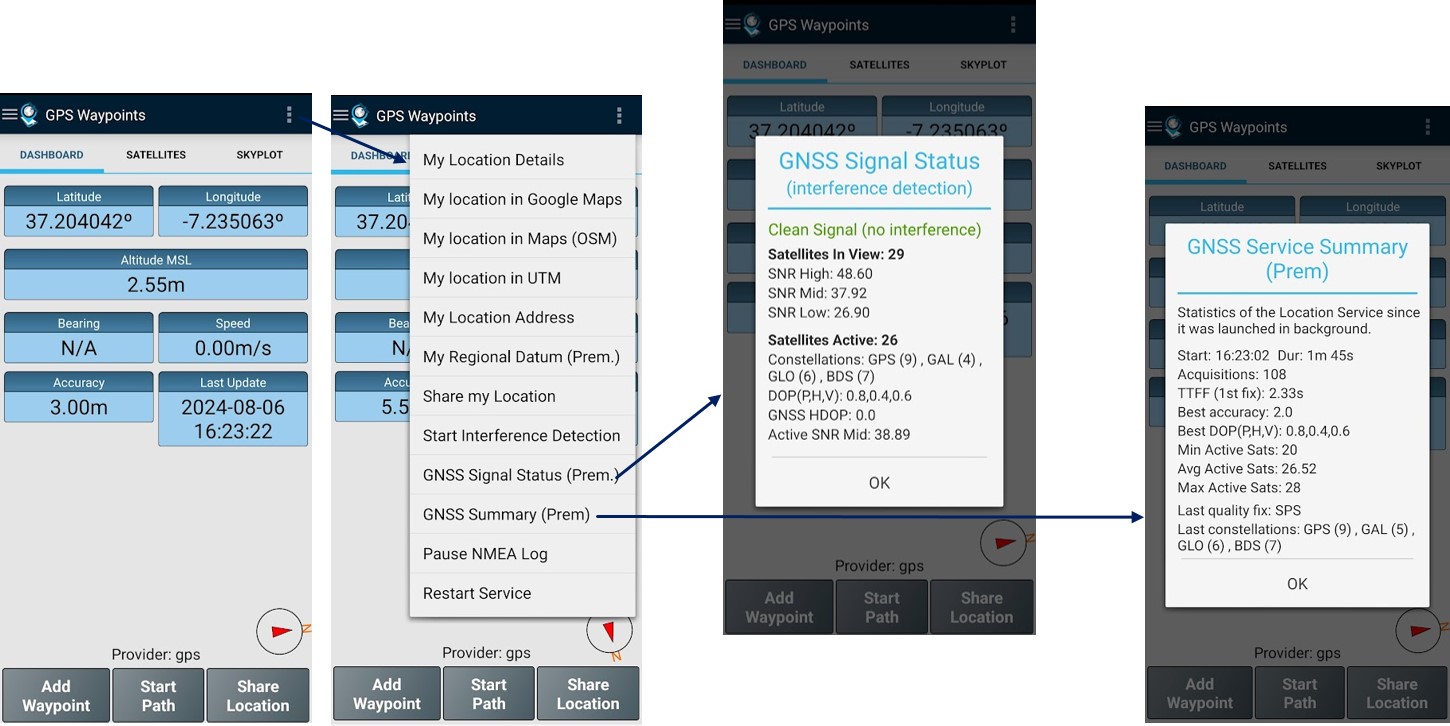
Check the GNSS signal status, interferences and statistics: if you are an advanced user, you can get further details of the GNSS service. You can check the status of the GNSS signal (in particular if there are interferences) and you can also get a summary of the GNSS service statistics since it started.
External Receiver
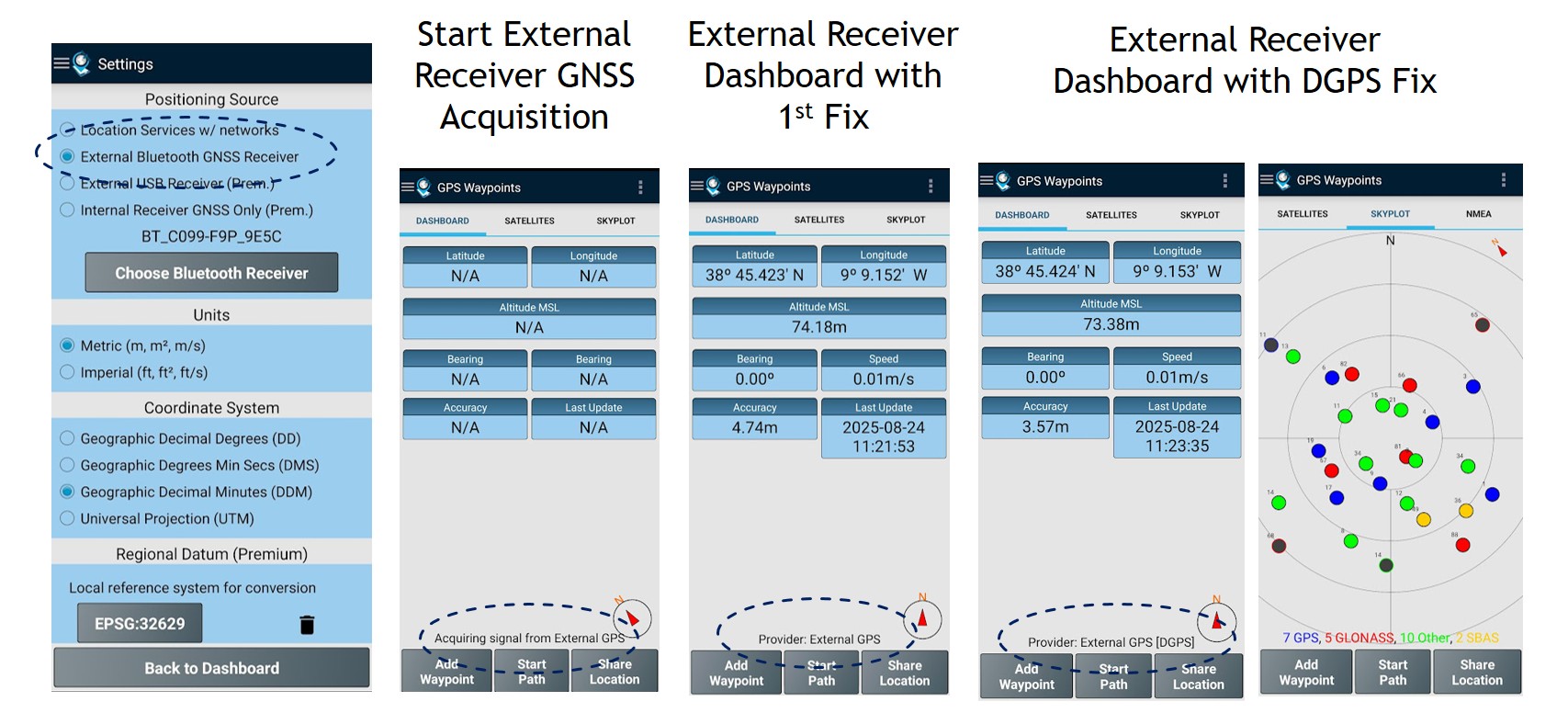
External Receiver location and status: In some surveying activities, when the mobile device’s positioning accuracy is insufficient, an external Bluetooth receiver can be connected to achieve professional-grade precision. Once the positioning source is configured, the dashboard displays the connection status and identifies the location provider as “External Receiver”.